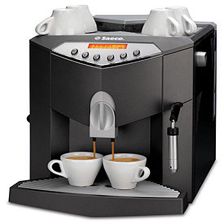
The original image, scaled to 224x224
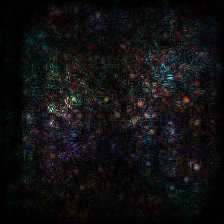
Alexnet
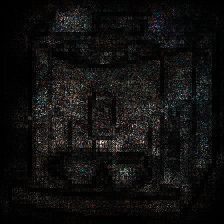
ConvNeXt
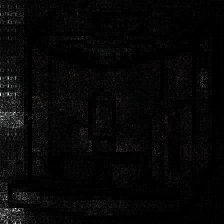
SWIN Transformer
We have looked at quite a few visualizations of feature maps and network activations, and they are, in general, a useful debugging tool. It makes sense for you to learn how to make your own.
There are multiple approaches, but we will stick with something simple that works across any network structure. You will load a pretrained model, an example image, and then forward the image through the model. You will then use PyTorch’s backward function to calculate the gradient with respect to the image.
You can turn off gradients in the model like this:
for param in model.parameters():
    param.requires_grad = False
And turn on gradients in the input image (once it is a torch tensor) like this:
input_data = test_image.requires_grad_(True)You are provided with a file named ‘net_classids.json’, which holds the index of each of the Imagenet1K classes.
Your model should take in the following arguments:
When given a class name, find its index from the imagenet_class_index.json. Calculate the gradient of the image with respect to that particular class output from the model. That means you will forward the image through the model, yielding a vector of probabilities. Rather than calculating any loss, simply call the torch tensor member function “backward()” on that value. This will calculate gradients in the image. Scale those gradients to be in the range from 0 to 255 and convert them into a PIL Image. This is the saliency map with respect to that class label.
If no class name is provided, rather than forwarding through the entire model, only forward through the feature extractor. For example:
feature_maps = model.features(input_data)Find the the three feature maps with the highest absolute total activation. Run backward() three times, once for each of those maps. Create three image masks with those gradients, one for each of the red, green, and blue channels.
Given the ‘output’ argument, save the following files:
These are the top three feature maps for the three models:
The original image, scaled to 224x224
Alexnet
ConvNeXt
SWIN Transformer
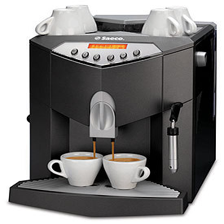
The original image, scaled to 224x224
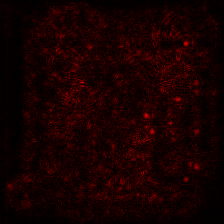
Alexnet
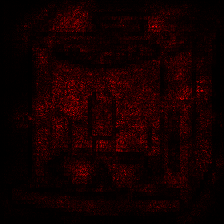
ConvNeXt
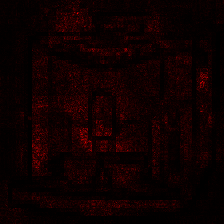
SWIN Transformer
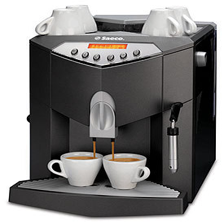
The original image, scaled to 224x224
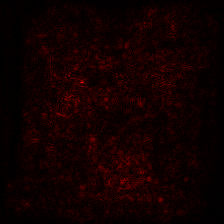
Alexnet
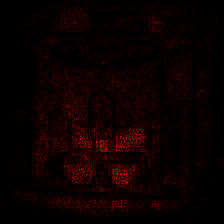
ConvNeXt
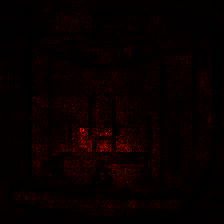
SWIN Transformer
The original image, scaled to 224x224
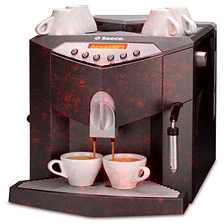
Alexnet
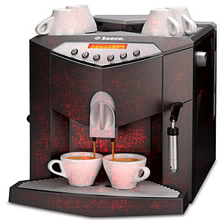
ConvNeXt
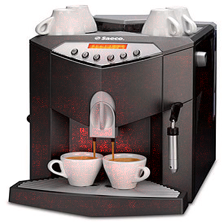
SWIN Transformer
The original image, scaled to 224x224
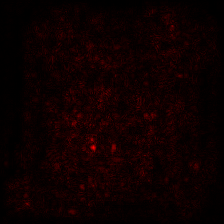
Alexnet
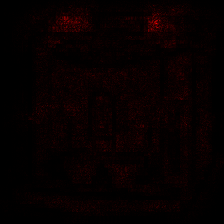
ConvNeXt
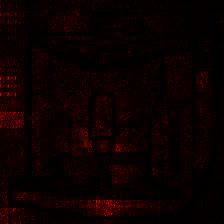
SWIN Transformer
For simplicity, you may use this starting code to be sure your interface is as requested:
import argparse
import numpy

import json

import torch
import torchvision.models as models
from torchvision import transforms

from PIL import Image

if __name__ == "__main__":
    parser = argparse.ArgumentParser()
    parser.add_argument(
        "--dnn",
        required=False,
        type=str,
        default='convnext',
        choices=['convnext', 'alexnet', 'swin'],
        help="Model to use for feature extraction.")
    parser.add_argument(
        "--image",
        required=True,
        type=str,
        default=None,
        help="Path to an image file for feature extraction.")
    parser.add_argument(
        "--classname",
        required=False,
        type=str,
        default=None,
        help="Name of the class whose saliency map we want to save. Top 3 features if None.")
    parser.add_argument(
        "--output",
        required=True,
        type=str,
        default=None,
        help="Path to save the extracted features.")

    with open('imagenet_classids.json', "r") as f:
        class_locations = json.load(f)

    args = parser.parse_args()

    test_image = Image.open(args.image)

    # The image must be preprocessed as the model expects
    # PyTorch has builtin transformations for datasets.
    # That would be better than this hardcoded function, but this is simpler for an example.
    # See: https://docs.pytorch.org/vision/main/models.html
    transform = transforms.Compose([
        transforms.Resize((224, 224)),
        # Convert from PIL that has channels last
        transforms.ToTensor(),
        transforms.Normalize(mean=[0.485, 0.456, 0.406], std=[0.229, 0.224, 0.225]),
    ])

    # ConvNeXt expects (Batch, Channels, Height, Width), so add a batch dimension with unsqueeze.
    input_data = transform(test_image).unsqueeze(0).requires_grad_(True)

    # Grab the desired pretrained model.
    if args.dnn == 'convnext':
        model = models.convnext_tiny(weights="DEFAULT")
    elif args.dnn == 'alexnet':
        model = models.alexnet(weights="DEFAULT")
    elif args.dnn == 'swin':
        model = models.swin_t(weights="DEFAULT")
    # Make sure that we are in evaluation mode.
model.eval()Name your program “hw04.py” and submit it through canvas.