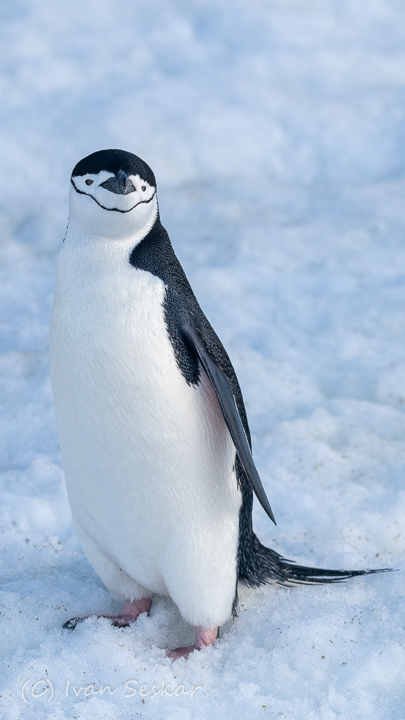
One way to compress images is to find similar pixels and group them together, remembering their color in a codebook. If each color is a pair of three bytes and we use a single byte to remember the codebook for a pixel, we could greatly decrease the size of an image. We could go farther and save differences from prototypes, or break the image into smaller chunks. These techniques are all variants of vector quantization.
We have covered a few ways to cluster data, and they can be used for vector quantization. Both k-means and a mixture of gaussian experts are useful.
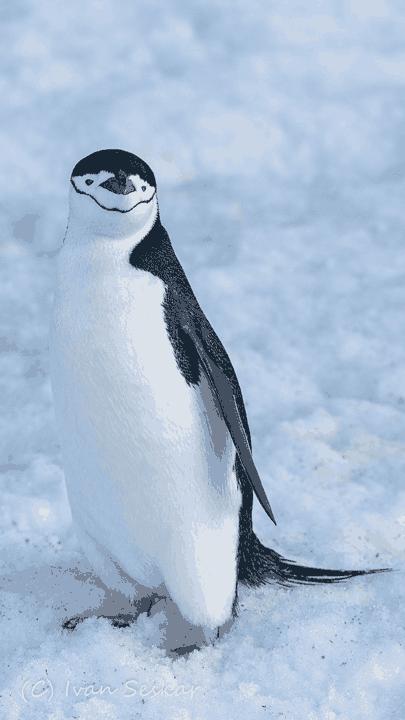
The penguin images are particularly suitable, as they have a low variety of colors. Here is that penguin compressed by discovering 20 clusters of colors in the image via a mixture of gaussians.
For comparison, compression with k-means (without improved initial point selection with k-means++) is less reliable. Here are three examples of attempts to compress with k-means, each yielding different results.
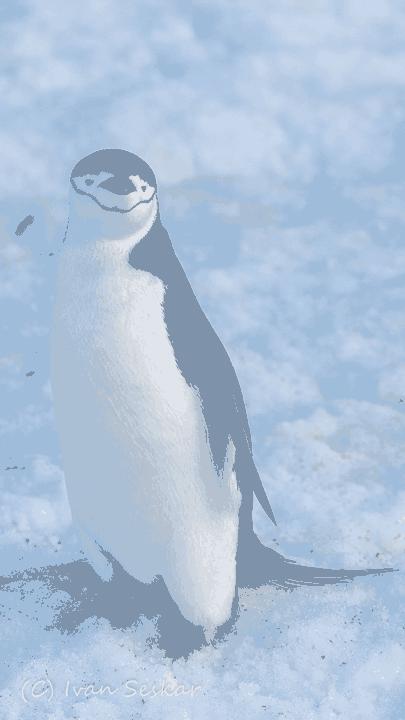
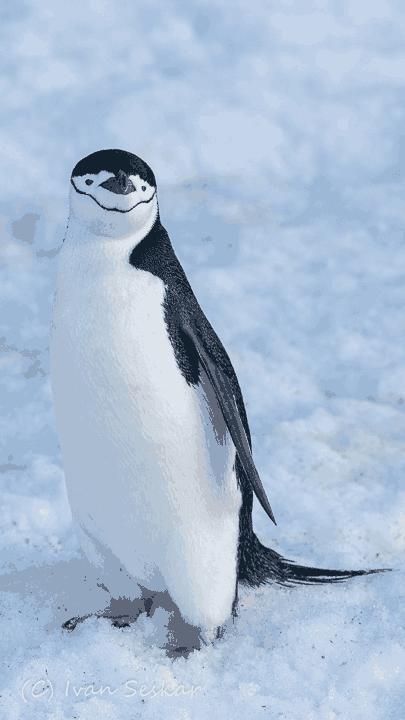
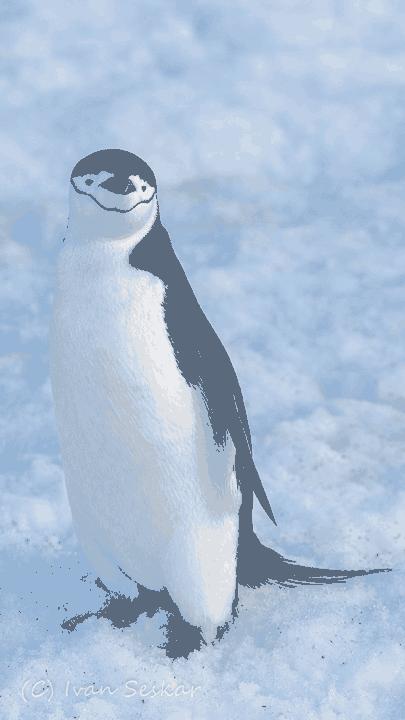
The original picture was a 182KB jpeg, and the compressed images are all roughly 30KB. The compression codebooks are actually larger at around 100KB, but they are not compressed as efficiently as jpeg.
The Algorithm
Consider all pixel values from a color image as a dataset with three columns. Clustering with k clusters will yield the means of k color clusters. After discovering the means of the clusters, assign each pixel to a cluster. The cluster means and the assignment array constitute a new codebook.
The codebook can be saved as a compressed representation of the image. To decode a codebook, loop through the array of assigned cluster IDs in the codebook and replace them with the pixel value of the cluster mean.
Note that this approach ignores any spatial relationships between the pixels; there are more complicated algorithms that would do so and achieve superior compression.
The error of your compression can be computed by finding the average euclidean distance between the pixels and the mean of their assigned cluster.
Instructions
Write a program that accepts arguments as shown below:
if __name__ == "__main__":
    parser = argparse.ArgumentParser()
    parser.add_argument(
        "--compress",
        required=False,
        type=str,
        default=None,
        help="A path to a file that will be compressed.")
    parser.add_argument(
        "--decompress",
        required=False,
        type=str,
        default=None,
        help="A path to a file that will be decompressed.")
    parser.add_argument(
        "--clusters",
        required=False,
        type=int,
        default=20,
        help="The number of clusters to use for compression.")
    parser.add_argument(
        "--model",
        required=False,
        choices=["kmeans", "mixture"],
        default="kmeans",
        help="Use kmeans or a mixture of gaussians with soft clustering.")
    parser.add_argument(
        "--output",
        required=True,
        type=str,
        default=None,
        help="The path to use when saving the output.")

    args = parser.parse_args()
The program will either compress images by saving a codebook, or decompress them into a given image name. Using the PIL image library will simplify the image handling part of this assignment.
Hints:
np.savez_compressed(args.output, assignments=assignments, means=means, img_shape=img_shape)The mixture of gaussians is the same as our mixture of experts model, but without any categorical labels.
K-Means can include the improved initial point selection of K-Means++ for additional credit.
Usage
$ python3 hw2.py --compress SA20211224-0033_chinstrap_HalfMoonIsland.jpg --model kmeans --output 20_k_means_compression_test.npz
Reconstruction error is 54.71159122085048
$ python3 hw2.py –compress SA20211224-0033_chinstrap_HalfMoonIsland.jpg –model mixture –output 20_mixture_compression_test.npz Reconstruction error is 31.580759030635573$ python3 hw2.py --decompress 20_k_means_compression_test.npz --output uncompressed.jpg$ python3 hw2.py --decompress 20_mixture_compression_test.npz --output uncompressed.jpgEvaluation
These sum to over 100%.
Submission
Submit your python files, with your __main__ function in hw2.py.
You may use example code from class. You may also use LLMs to assist, but submit logs of any LLM sessions as related to this assignment as text files. Please take care to not submit logs of other, unrelated sessions.